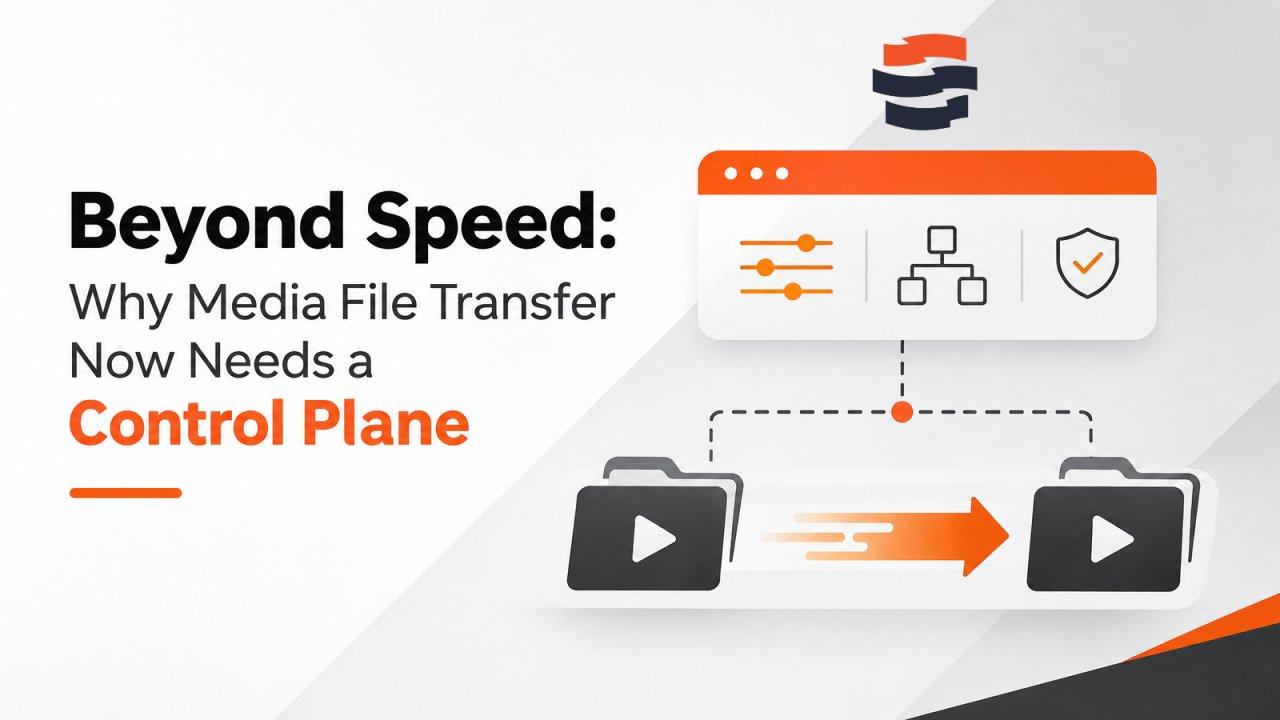
For most of the past decade, moving media files was a conversation about speed. Camera originals grew, 4K became routine and 8K moved into real productions. The teams getting footage from set to post to distribution fought one enemy: the long, lossy WAN link that turns TCP-based FTP into a crawl.
That fight is largely won. Accelerated, UDP-based transfer is now a known quantity, offered by Raysync and by international vendors such as IBM Aspera, Signiant and FileCatalyst. Speed still matters. It has simply stopped being the hardest problem.
The hardest problem today is everything around the transfer.
The new bottleneck is operational, not physical
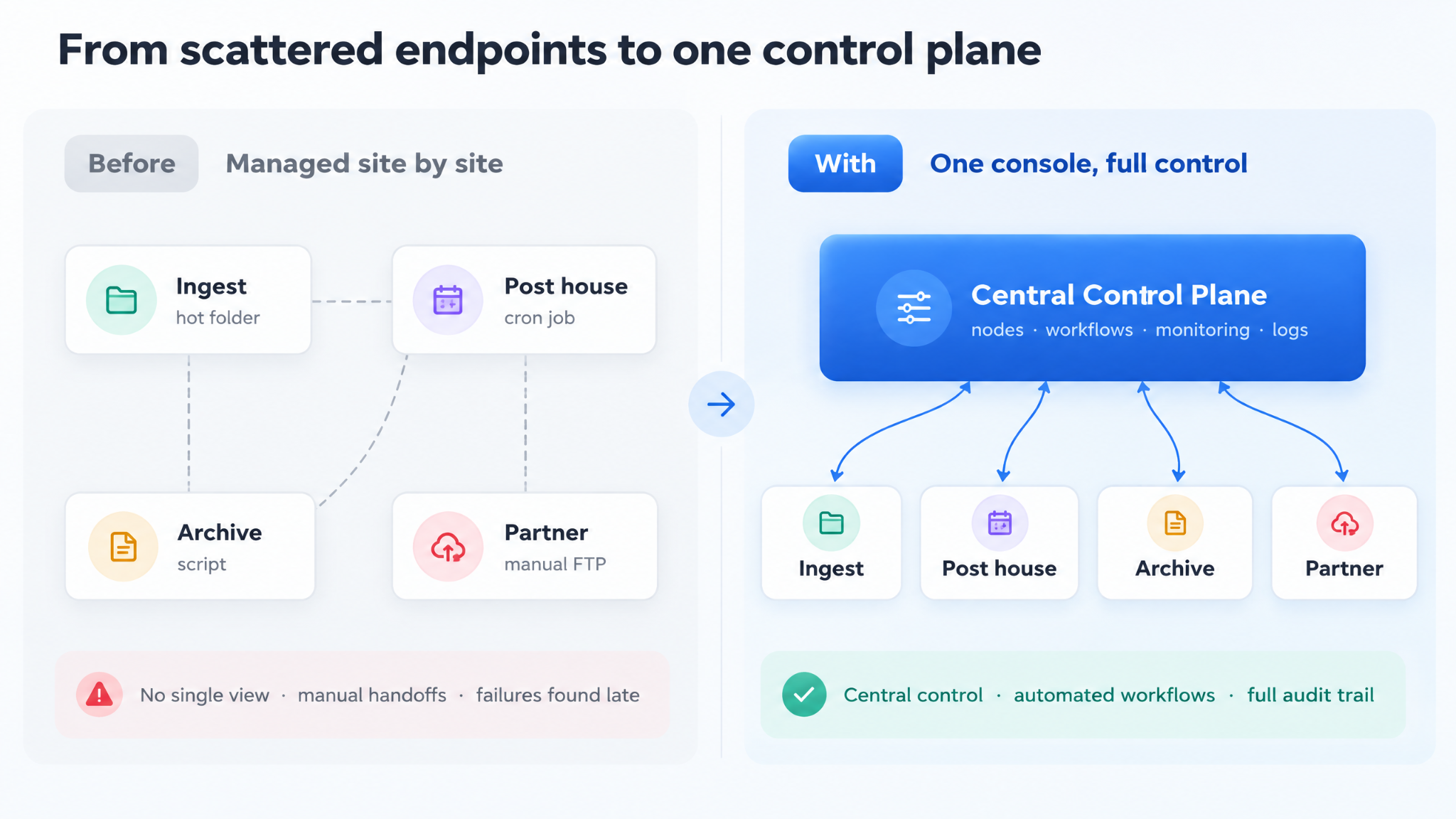
A typical media operation now runs transfer endpoints in many places at once: an ingest server at the production office, a post facility in another city, cloud storage for archive, a distribution partner on another continent, and contractors who change with every project. Each endpoint collects its own setup. A hot folder here, a scheduled job there, a script someone wrote years ago that nobody wants to touch.
Anyone who has run media operations knows what follows:
No single view. Engineers log in to several machines to answer one question: did last night's deliveries go out?
Manual handoffs. A file lands, someone notices, checks it, renames it, starts a transfer and emails the next team.
Late failure detection. A stalled transfer is discovered when the client asks where their master is.
Thin audit trails. When a studio or broadcaster asks who moved a file, when and from where, the answer sits in scattered logs, if anywhere.
None of these are bandwidth problems. Doubling throughput fixes none of them.
What a transfer control plane should do
The answer is a control plane for file movement: a layer above the transfer engine that treats every node, task and log as one system. In practice it has to do four things:
Manage every node from one place, from deployment and authorization to monitoring and upgrades.
Automate the steps around the transfer, not just the transfer itself.
Make every job visible, including progress, failures and history.
Keep an audit trail that answers an auditor's questions without a forensic project.
Introducing Raysync Hub
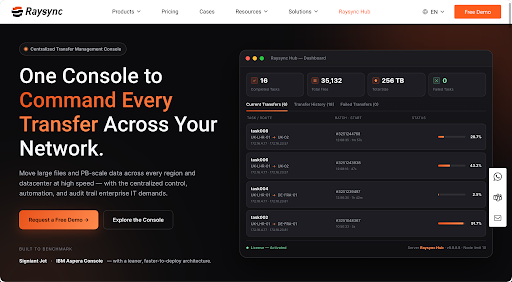
Raysync Hub is our answer. It is a centralized console for transfer management and workflow orchestration, built for IT and operations teams that run transfer infrastructure across multiple nodes, sites, data centers or regions.
Hub runs on Raysync's own high-speed transport protocol, which is engineered to hold throughput over long-distance links with high latency, jitter and packet loss. The acceleration is native, not bolted on. From one console, administrators can:
Manage Windows and Linux transfer nodes, with centralized client-agent packages, one-command node activation and per-node bandwidth limits.
Run transfers immediately, once at a set time, or on a recurring schedule.
Watch live progress, transfer rates and failures in real time.
Count on checkpoint resume and auto-reconnect, so an interrupted multi-terabyte job picks up where it stopped.
Protect data with end-to-end encrypted transfers, node-key authentication and access controls.
Keep detailed operation and transfer logs, down to the operator, IP address, timestamp and outcome.
Workflow: automating what happens around the transfer
For media teams, the most important part of Hub is Workflow. Administrators build automated transfer processes much like drawing a flowchart, by linking components from five groups:
Group | Components |
Triggers | Manual, Schedule, File Watch, API |
File processing | File Stat, File List, File Operation, Checksum, Archive, Wait For File, Execute Script |
File transfer | Node-to-node File Transfer |
Integration and notification | HTTP Request, Webhook Callback, Email Notification, Set Variable |
Flow control | Condition, Switch, Parallel Fork, Merge, Persistent Delay, Success End, Failure End |
Consider a post house in London delivering finished masters to a distribution partner in Frankfurt. A File Watch trigger spots a new master in the delivery folder. Wait For File holds until the file is fully written, and Checksum confirms its integrity. A Condition checks the file type, and qualifying files move to a File Transfer step from the London node to the Frankfurt node.
On success, an Email Notification tells the delivery team and a Webhook Callback updates the asset management system. On failure, the flow raises an alert and ends, so the team hears about the problem from Hub rather than from the client.
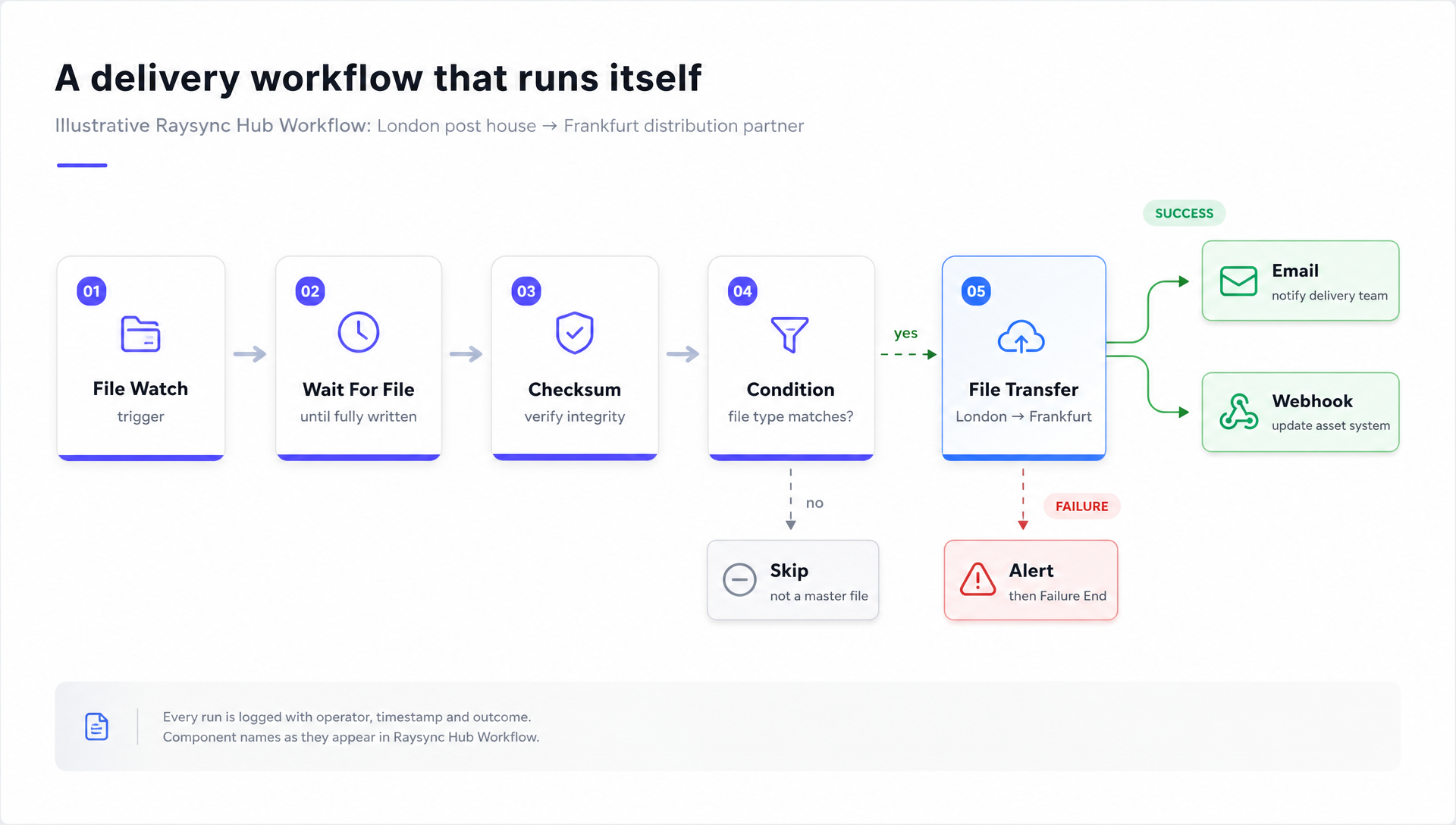
Nobody has to watch the folder, run the transfer or send the email. And every run is logged.
AI Skill: from a plain-language brief to a workflow draft
Not every team wants to start from a blank canvas. With Raysync Hub's AI Skill, users describe what they need in natural language: where files come from, where they should go, what should start the job and what should happen on success or failure.
AI Skill then guides them through confirming the key details, such as trigger method, nodes and paths, and generates a workflow draft. That draft is a starting point, not a black box. Administrators review it in Hub, adjust it and publish it themselves.
AI lowers the effort of getting started; people stay in control of what runs on their infrastructure. Complex workflows may still need technical review, and Raysync works with customers to validate the process and configuration.
Who it is for
Broadcast, post-production and content distribution teams moving large video files and metadata between sites and partners on tight deadlines.
Organizations spread across offices, data centers or clouds that need one view of every transfer.
Systems integrators and managed service providers building transfer automation into client projects.
Backup, disaster recovery and cross-region sync scenarios where data movement must be reliable and traceable.
Teams relying on FTP or home-grown scripts that want centralized management and less manual work.
A platform built for content security
Hub is the management layer; Raysync Enterprise is the transfer platform and engine beneath it. Raysync Enterprise provides AES-256 encryption in transit, TLS transmission with support for custom certificates, role-based access control and audit logs.
Raysync holds ISO 27001 certification and is part of the Trusted Partner Network (TPN), the content security program used across film and television. Raysync is also a member of the DPP, the media industry's business network.
Pricing and getting started
Raysync Hub is available as an annual subscription of USD 6,000, which includes six online nodes. Additional online nodes cost USD 600 per node per year, and only nodes actively connected to Hub count toward billing. A seven-day free trial is available at raysync.io.
The next gains come from control
Speed got the industry this far. The next gains come from control: fewer manual steps, fewer surprises and a clear record of every file that moves. Media organizations that treat file transfer as an orchestrated, observable system, rather than a set of fast pipes, will deliver faster and sleep better. That is the problem Raysync Hub was built to solve.
About Raysync
Raysync is an international enterprise file transfer brand headquartered in Singapore. Its products, including Raysync Enterprise, Raysync SMB, Raysync Cloud and Raysync Hub, help organizations in media and entertainment, manufacturing, financial services, gaming and technology move large files and massive datasets quickly and securely across regions.

