
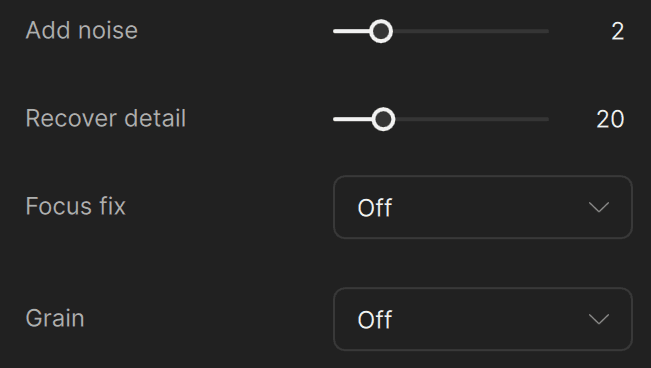
Topaz Labs published documentation detailing the functionality of its video enhancement toolset, specifically focusing on its Add Noise, Recover Detail, Focus Fix, and Grain control features. The guide explains how these AI-driven settings work to mitigate artifacts in HD and UHD footage for professional production workflows.
The release of these specific technical guidelines marks a shift toward giving editors surgical control over AI outputs rather than relying on one-click black boxes. By addressing common complaints like 'plastic' skin textures and banding through controlled noise injection, Topaz is making its tools more viable for high-end finishing environments where visual fidelity is paramount. This move supports a broader industry trend where specialized AI utility layers are being integrated directly into NLEs like Adobe Premiere. Executives should monitor the adoption of cloud-render credits as a secondary revenue stream for software vendors moving away from perpetual licenses.
Topaz Labs has been expanding its documentation and feature set across multiple enhancement passes, signaling a push toward professional post-production environments. The company's Advanced Tuning module allows editors to stack a second enhancement pass with different AI models and settings on the same clip, giving colorists and finishing artists the ability to combine, for example, a denoising model in pass one with a detail-recovery model in pass two. This dual-pass architecture places Topaz Video closer to node-based compositing workflows found in tools like DaVinci Resolve, though Topaz remains a standalone application rather than a plugin embedded in an NLE timeline.
The grain and noise-injection controls documented in this release address a persistent complaint among professional users: AI upscaling and denoising often produce an unnaturally smooth, "plastic" appearance that fails quality checks in broadcast and theatrical delivery. Topaz's documentation specifies three grain types (Gaussian, Grey, and Silver Rich) with independent sliders for amount, size, and density, and the company's own reference guide recommends conservative adjustments for Silver Rich grain to approximate traditional film stock. This level of parametric control is notable because most consumer-oriented AI video tools offer only a single toggle or preset for texture restoration, whereas Topaz is targeting users who need to match specific film stocks or delivery specifications.
Topaz Video's enhancement pipeline also includes a Focus Fix mode that operates by downscaling footage and then upscaling it back to original resolution using AI interpolation, with Normal mode applying a 50% downscale and Strong mode applying a 25% downscale before reconstruction. The company's official documentation notes that Focus Fix is specifically designed for HD and UHD footage with slightly missed focus and is not recommended for other enhancement use cases, a candid limitation that distinguishes Topaz's approach from marketing claims made by some competing AI upscaling tools that promise universal sharpness correction.
Add StreamingMeme as a preferred source on Google to see more of our streaming news at the top of your Search results.
Add as preferred source